
Unlocking Success: Designing Your Small Business Website
In today’s digital landscape, establishing an online presence is not just a choice — it's a necessity. A website for your business provides a competitive edge and bolsters your brand's credibility. Consider it as a 24/7 marketing powerhouse and your primary information hub. A website is undoubtedly the most cost-effective advertising solution, and there's no need to overcomplicate the design. In general, straightforward websites with a clear message deliver the best results. Here, I'll outline some common mistakes that beginners make when designing a small business website, and how to avoid them.
Why You Should Consider Using WordPress Right From The Start
Why WordPress? WordPress boasts the largest community in the web design space and is widely regarded as the most economical, powerful, and feature-rich option for most of today’s business websites. With a vast collection of tutorials, guides, and other online resources, it would be difficult to find another website platform with this level of community support. WordPress.org provides a wide range of free & paid plugins, offering numerous software options for design and functionality. A WordPress website is also easily managed and highly scalable. Other ‘website builder’ sites like Shopify, Squarespace, and Wix may cater to the do-it-yourselfers, but designers, programmers, and SEO experts all agree that these platforms come with inherent limitations. If you need more advanced functionality in the future or simply want to opt out of their pricing plans, it might result in additional costs for hiring a developer. Moving from one platform to another can be challenging depending on many factors. Pricing plans change with time, but with WordPress, there are no pricing plans, except for your hosting costs and domain name registrations, since WordPress itself is free to use!
Know Your Budget
WordPress itself is free, but don't overlook additional costs such as hosting, domain registrations, page builders, and the security software essential for a smooth-running site. If you're considering hiring a website designer, try to choose a local agency or freelancer if possible. Shop around! Also, please be cautious when hiring from the very popular freelance platforms unless you can effectively screen out untrustworthy individuals. I've had numerous clients who sought my help after hiring from these online platforms, and they were disappointed with the quality of the designs and support they received. The bottom line is that you get what you pay for. If a designer's proposal for your website seems too good to be true, it's probably not what you expect, and their communication may be poor or even non-existent after you've paid them. In the long run, you will probably end up spending more on maintenance and fixes for the website they create for you.
Choosing Your Domain Name
Choose a domain name that is easy to remember, relevant to your business, and reflective of your brand. Using a keyword in your name also helps with SEO. In terms of price, Domain name registrations are quite affordable, typically ranging from $11 to $25 per year. Just remember that some domain registrars (from whom you purchase your domain) are better choices than others, so be sure to research and choose your registrar wisely. I have had great success with using Cloudflare now that Google Domains is no longer available. Cloudflare offers competitive pricing and a wide range of security features integrated into their product for free, with many additional options to enhance your web security.
Select a Reliable Hosting Provider
When selecting a hosting provider, it's important to prioritize good uptime, security, and customer support. Other important factors to consider include scalability, speed, and cost. For a WordPress website, a reliable hosting package typically costs at least $15-$25 a month, not including regular maintenance, which should ideally be done monthly. Hosting services offered at lower prices, usually with a ‘one-size-fits-all’ approach are not suitable for a business website, as they often lead to slower webpage loading times, frequent downtime, and lack of security features. This can result in potential visitors losing interest before your site even loads. If possible, use WordPress Managed Hosting. See below for more on why choosing a good hosting company can save you money in the long run.
Define Your Goals & Know Your Audience
Clearly outline what you want to achieve with your website. Whether it’s to showcase your products, attract clients, or provide information, having a clear purpose will guide your design choices. Understand who your target audience is and design your website to meet their needs and preferences. Consider their demographics, interests, and behaviors.
Use a time-tested website builder to make the process of designing your website easier
DIVI by Elegant Themes, BeaverBuilder, and Elementor are all solid choices here.
https://www.elegantthemes.com/
https://www.wpbeaverbuilder.com/
https://elementor.com/
Design for Mobile and focus on User Experience (UX)
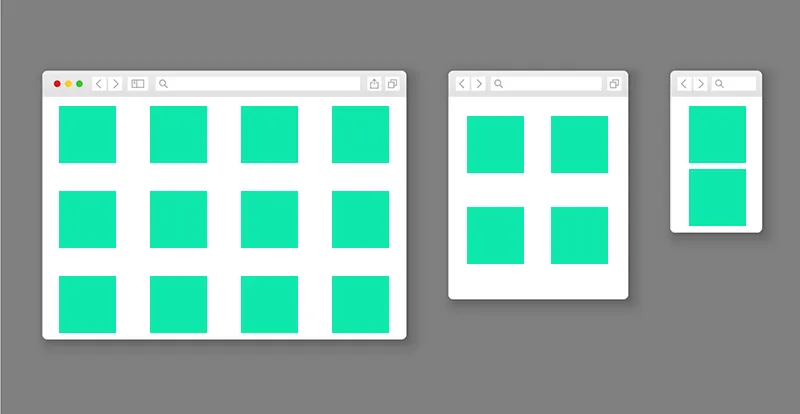
Remember the following: Most of your web traffic comes from mobile devices, so responsive design is crucial. Make sure to design for mobile devices first, and avoid using large images or videos, as they slow down mobile devices and can cause visitors to leave before the page loads. Design your website with the user in mind. Ensure that it's easy to navigate, loads quickly, and provides a seamless experience. Utilize space effectively as you design by giving your content ‘room to breathe’. This allows the reader to comprehend your message, encourages them to read on, and doesn't consume bandwidth. This keeps the user engaged for longer, ultimately increasing the Time on Site (TOS), which measures how long a visitor spends on a website in a single session. TOS leads to good SEO!
Incorporate Strong Calls-to-Action (CTAs)
Ensure that your website includes clear and compelling calls to action (CTAs) to guide visitors toward the actions you want them to take. CTAs can be in the form of a "Buy Now" button, a “Free Trial” link, a downloadable PDF, or simply your "Contact Us" button. They are crucial for a successful website and offer invaluable insight into your customers' needs.
Create Quality Content - As Often As Possible
Create compelling and informative content for your pages, products, posts, and images to keep your visitor’s attention. Additionally, ensure that it is optimized for search engines (SEO). High-quality content featuring unique imagery and original text will help attract and retain visitors. Importantly, avoid copying and pasting content from other online sources, as this could result in penalties from Google. Many businesses fail to update their content regularly, leading to a drop in site ranking due to stale or outdated information. Keep your content informative and up-to-date to maintain a competitive edge.
Use Google's Free Tools!
Implement other free tools like Google Search Console and Google Analytics to track your website’s performance and gather insights on visitor behavior. This data can help you make informed decisions, such as moving a button to the top of a page or changing the link text for one of your products. There a tons of YouTube videos on how to set up Google Analytics for your business. If you need help, we offer a free Google setup service with any website transfer and will install Google Analytics for you. Contact Us for more information.
Secure Your Site
Ensure the security of your website and your users' data by implementing security measures such as SSL certificates, regular backups, and secure hosting. Managed WordPress Hosting is an excellent option for those who want a comprehensive solution to address these requirements. I highly recommend it. However, for those seeking a more cost-effective approach, using plugins like the free versions of Wordfence and Updraft can provide basic firewall protection and back up your site to a folder of your choice. You can find more information at Updraft's Official Website and Wordfence.com
A Quick Checklist Before Launch:
Don’t forget to tie up any loose ends before launching your new site
- Ensure that you haven't left any test pages live (you don’t want Google or the public to stumble across something unpolished.
- Proofread all of your content, especially your CTA’s.
- Check all your links and buttons to confirm that they direct users to the intended destinations.
- If you are gathering information through an online form, ensure that you have a Privacy Policy and a concise Terms & Conditions section.
- Consider utilizing a pre-launch announcement on your social media platforms to generate an initial traffic boost.
- Finally, make sure your security software is in place and working normally before launching your site
By following these guidelines, you'll be well on your way to creating a successful, secure, small business website that effectively represents your brand and meets your business goals. Questions? Contact dlb today for a free small business website quote! Follow us on Facebook & Instagram for future blog updates and tips for your business.
Recent Comments